Keep Staff and Campers Coming Back…
With Fathom Staff Engagement Systems, you have the power to improve staff participation, drive staff retention, and fill camper spots. All you have to do is listen and learn.
How it worksA survey your staff will answer. A dashboard you’ll love to open.
The Season Pulse
A Pulse survey: a few minutes, between activities.
- Two instruments. The Pulse survey is a short check-in, one question per measure, that you run every week or few weeks through the season. The deep dives go into every part of a pillar, one module per pillar, when you want to uncover insights.
- Sixteen measures. The score tells you where to look. The ranked measures tell you what to change.
- Published methodology. Every scale and every limitation made public.
The Season Dashboard
Where survey responses help you make decisions.
- Trends. See all pillars or measures across time.
- Segments. Compare scores across teams, roles, and years worked at camp.
- Action plan. Three actions, each tied to your data. Coming soon
Inside Fathom Staff
Every survey at a glance.
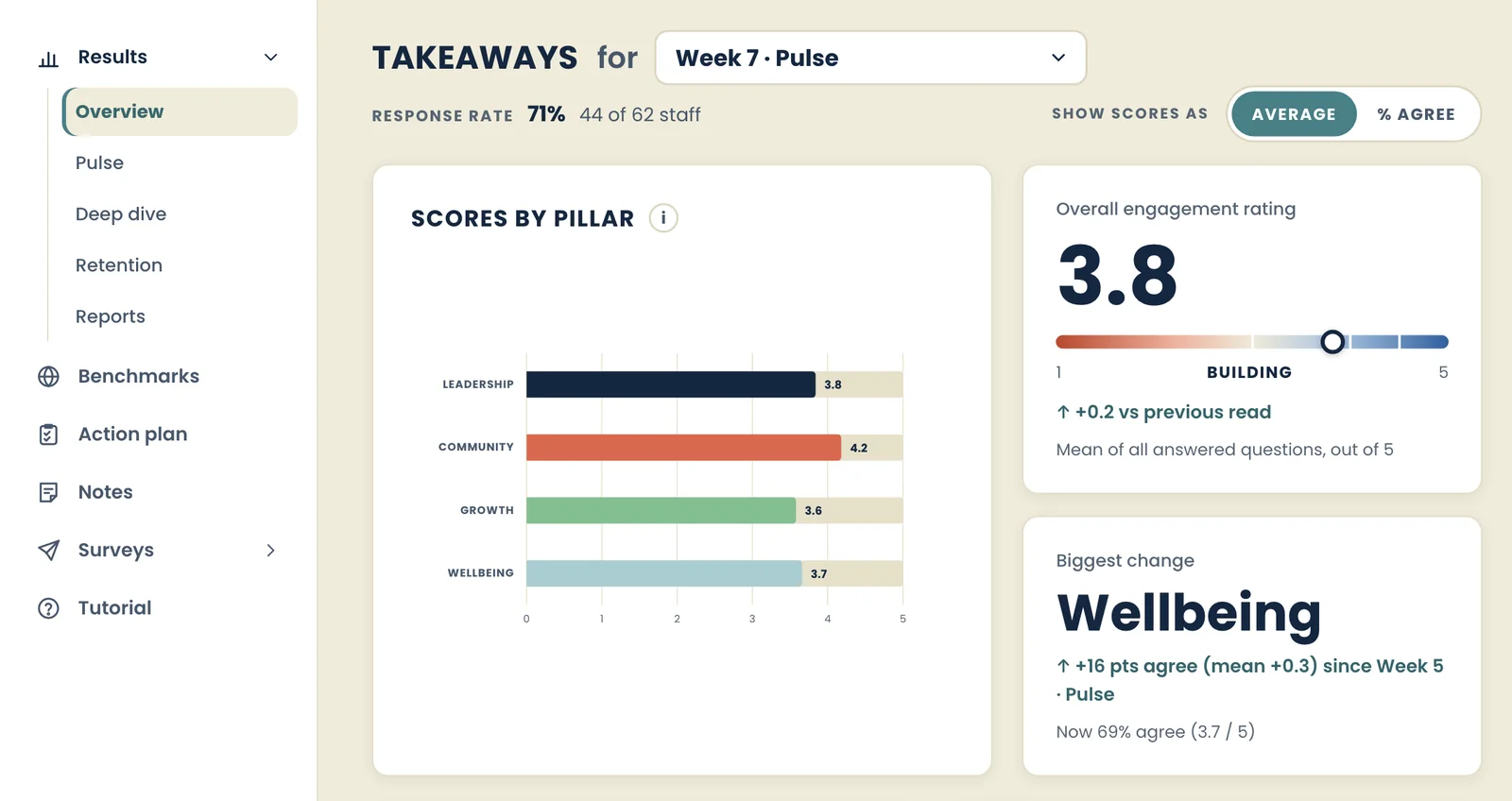
- Overall engagement rating, response rate and the pillar that changed most, each with its change since the last read.
- Your three strongest measures, and the three to work on first.
- Toggle to see every score as an average or as the percent who agreed.
- See scores for any one point in the season with one click.
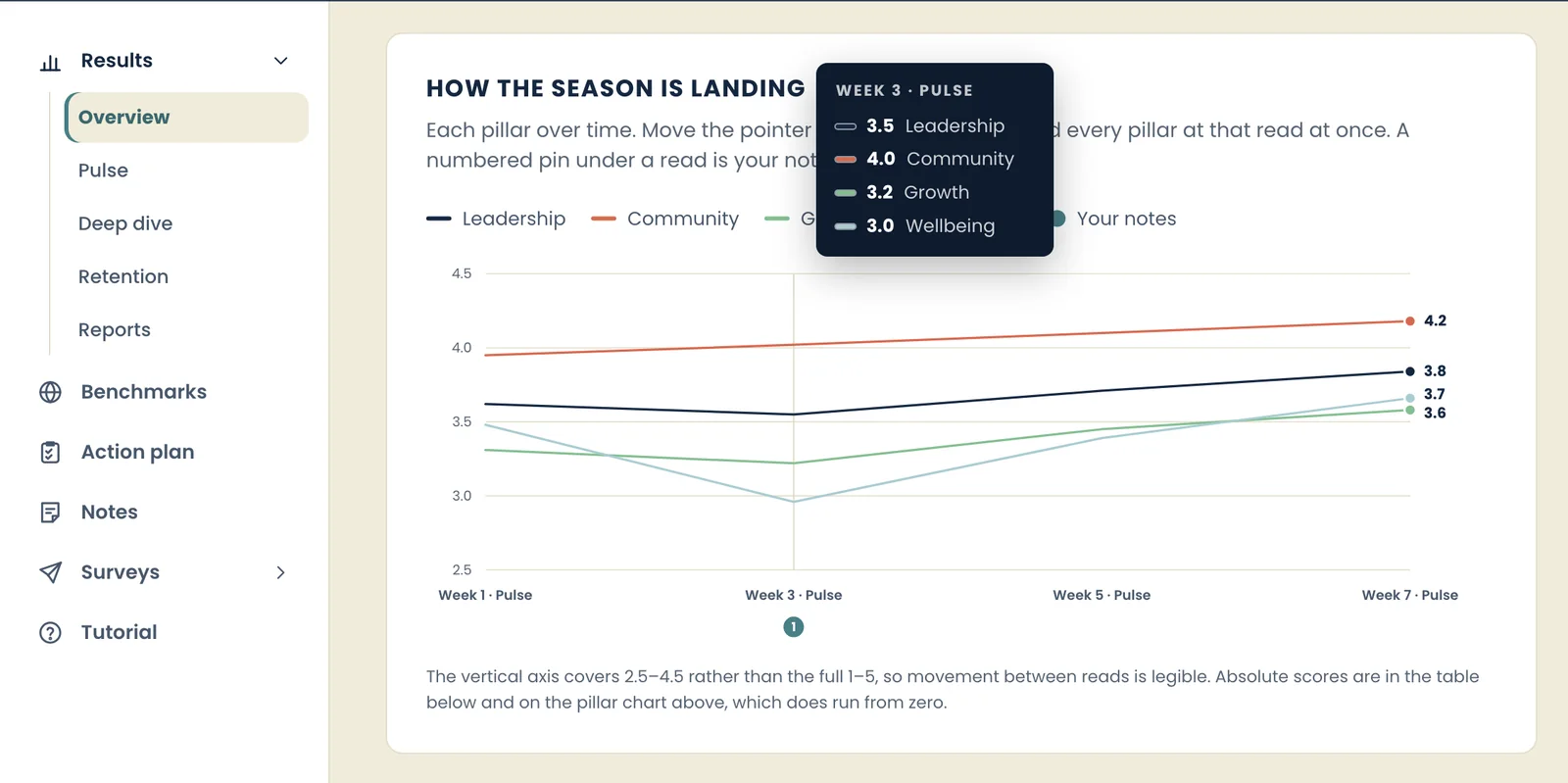
The whole season on one chart.
- Each pillar on one line chart, read by read, so a dip shows the week it starts.
- Point at any week to read every pillar at once.
- Pin a note to a week (a heat wave, two counselors leaving) and it sits under that point on the chart.
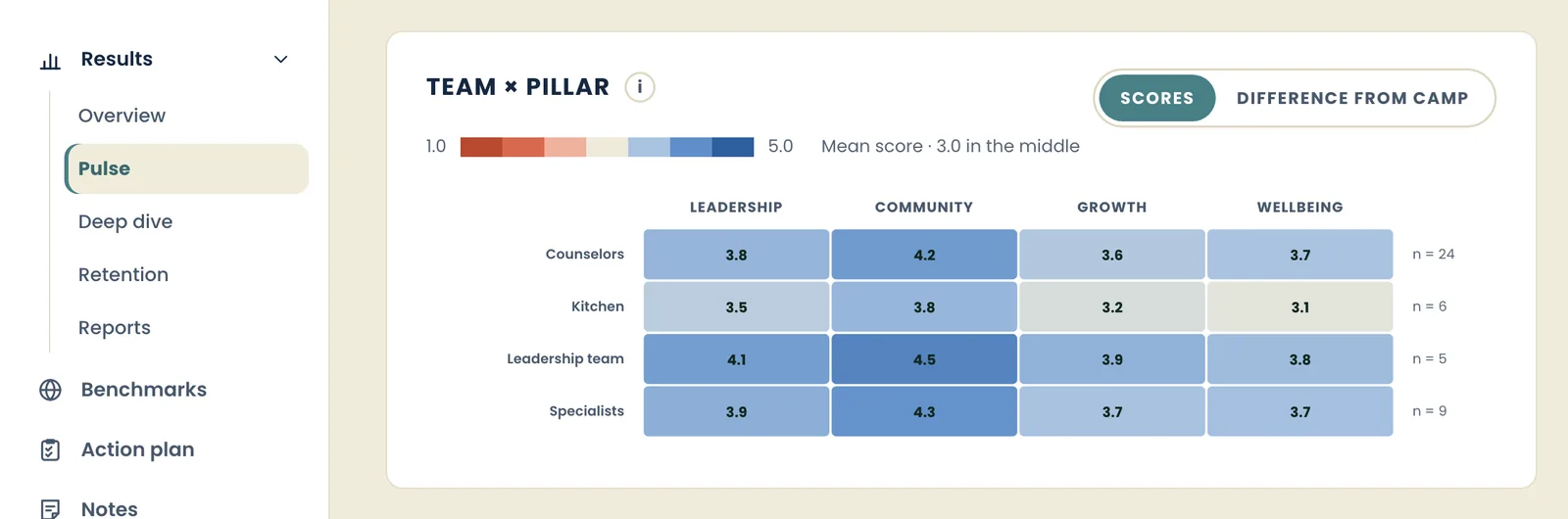
See which teams need you.
- See every team’s scores for every pillar in one grid.
- See every score by the number of seasons worked.
- Groups with fewer than five people are hidden, so nobody can be singled out.
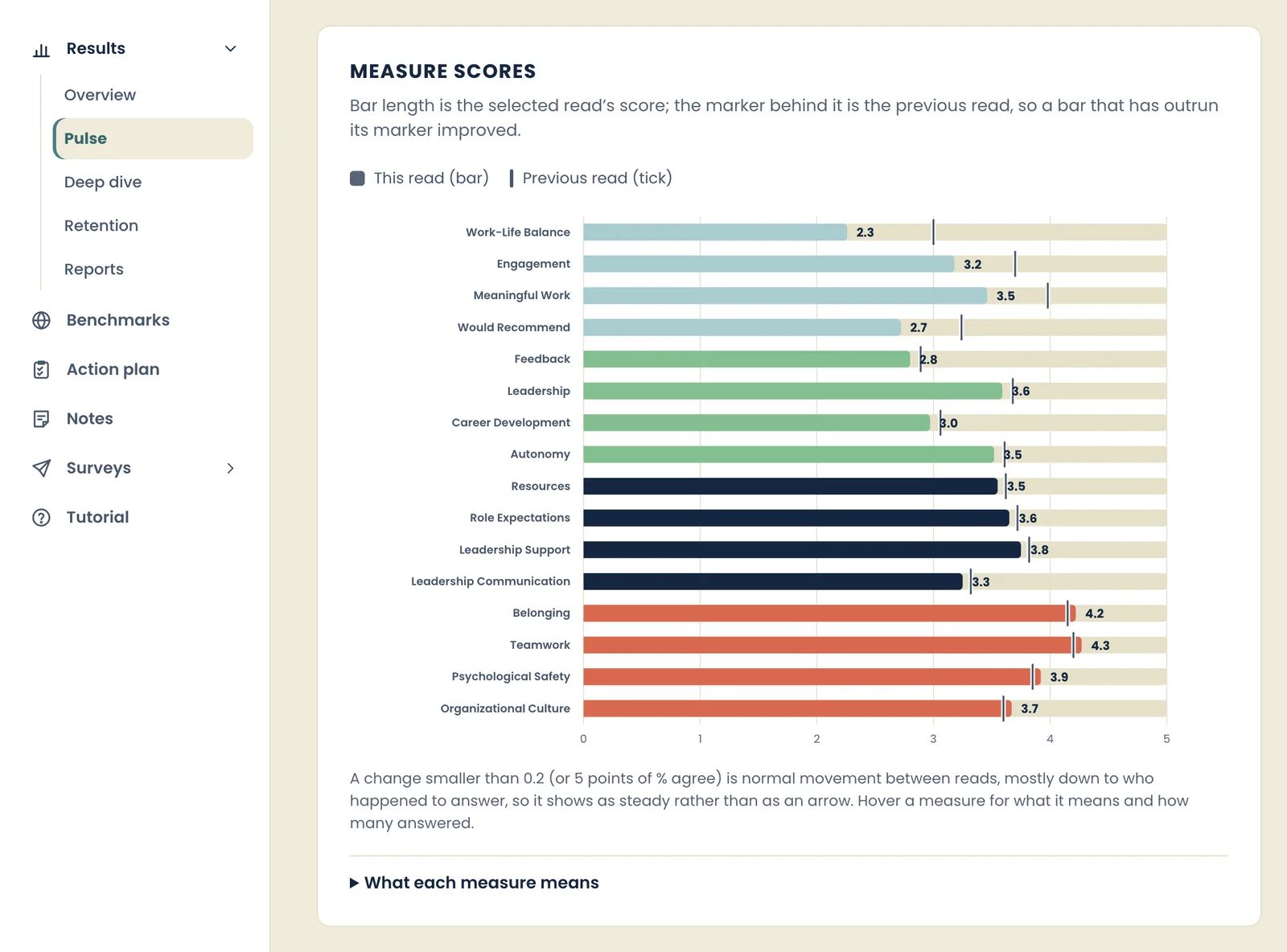
See changes while there’s still time to act.
- Compare current scores for every measure to the scores from the last time it was measured.
- Sort to see strengths and areas for improvement.
- Filter to see scores for just one pillar or team.
And that’s not all
- Deep dive questions
- Notes on your timeline
- Fathom camp benchmarks
- Return intent, and why
- Downloadable reports
- Team and board logins
- Slack integration
- Action plans
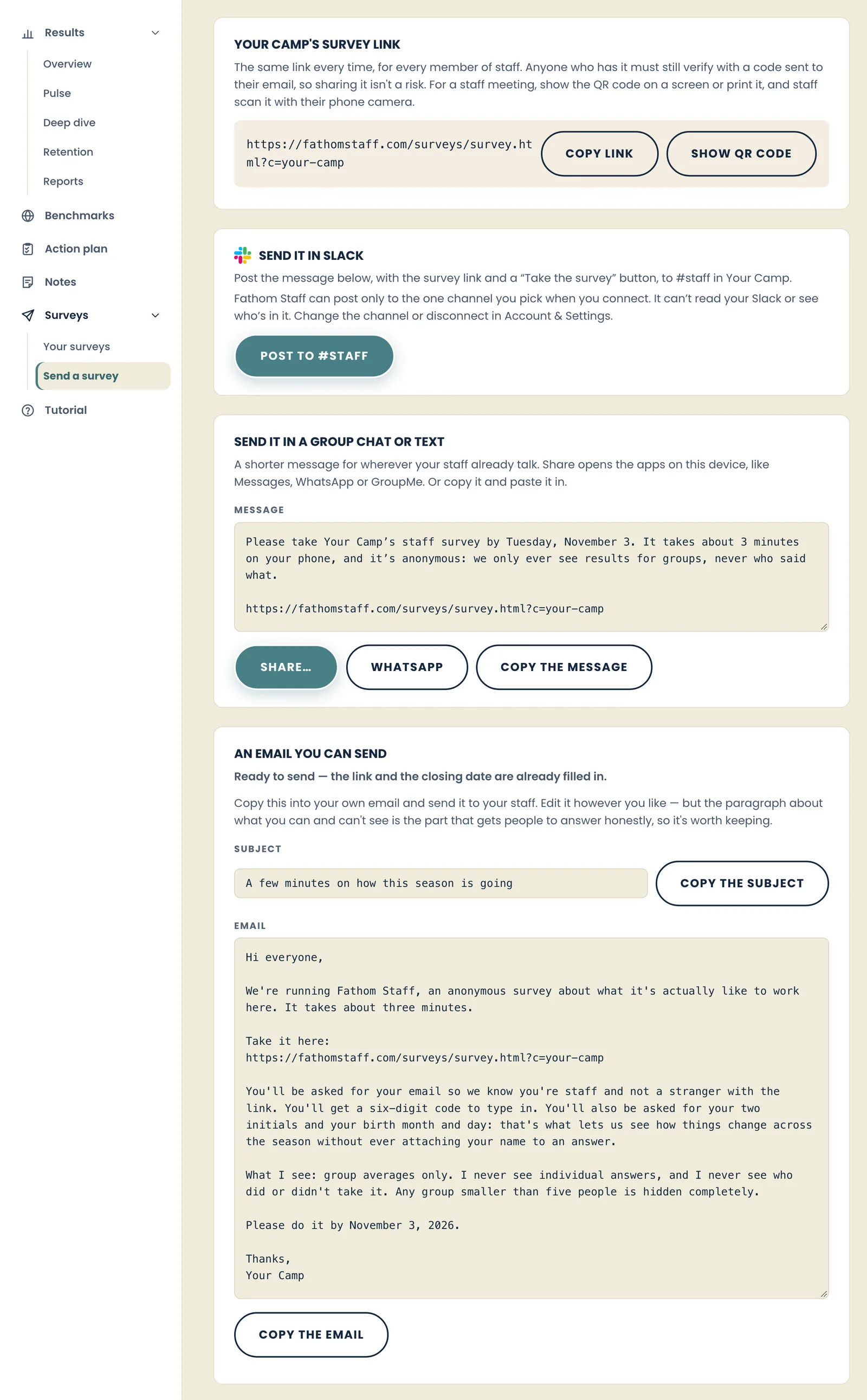
Send a survey in seconds. No more little pieces of paper.
We never see your staff list.
- Use one link for the entire season.
- Staff are confirmed with an emailed code.
- We’ve thought of everything for you. Ready to send when you are.
- We email you before a window opens, halfway through, and two days before it closes, so you know when to nudge.
A short Pulse all season, with deep dives when you want to uncover insights.
“I plan to return to work here again next season.”
How staff take the survey.
One link from you. Your staff complete the survey on whatever device they have.
Complete in minutes. Then back to camp.
How to use it.
You choose the when, the dashboard tells you what you want to know.
-
Week one
Set your baseline
Send your staff the link in the first days of the season, starting with a quick Pulse survey. Whatever comes back is the line every later Pulse is measured against. Add a deep dive when you want the full picture of a pillar.
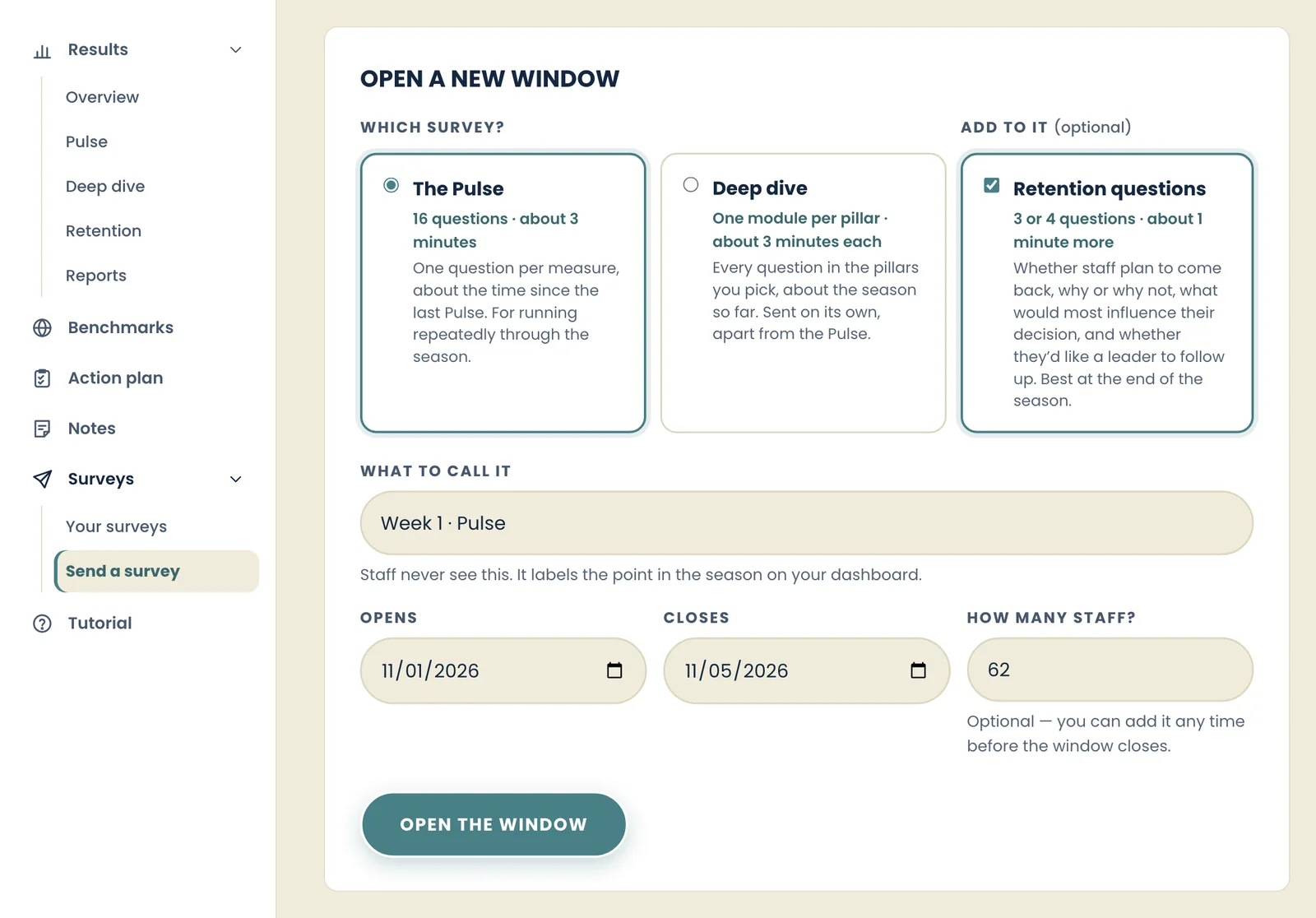
Opening a survey window: choose the Pulse or a deep dive, name it, set the dates. Then copy the link and the ready-written email. -
Every 1–4 weeks
Check in as you go
Run the Pulse survey: a short check-in, one question per measure, a few minutes for staff. Weekly, every other week, or monthly — your rhythm. Every read lands on the same chart, so you see the season while it’s happening, not after.
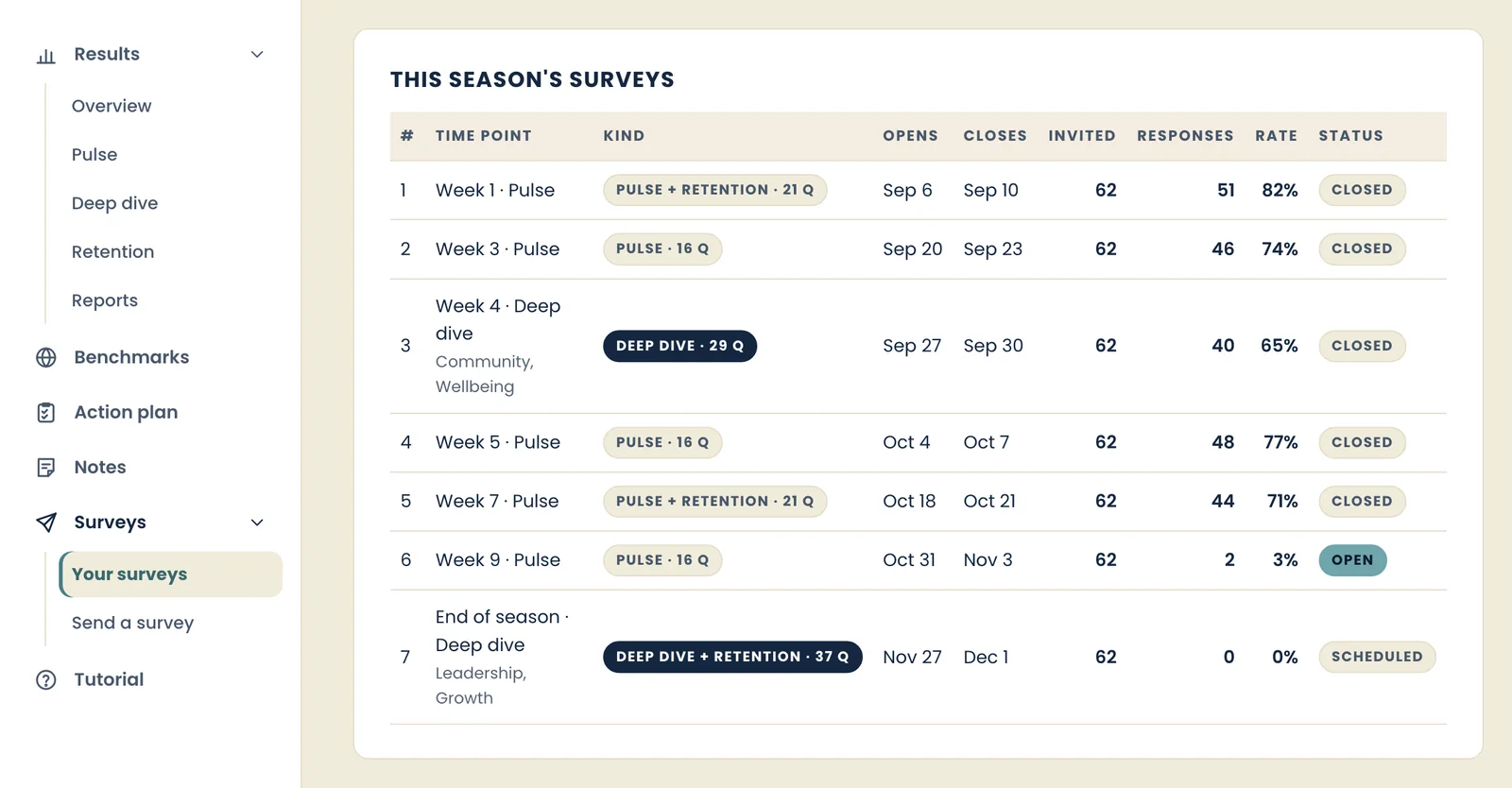
Every window this season in one place: what ran, when, and how many staff answered. -
After each read
See what’s working — and what isn’t
Open the dashboard: the pillars that are strong, the measures that are slipping, and which teams are furthest from the average. Group results only — never one person’s answers.
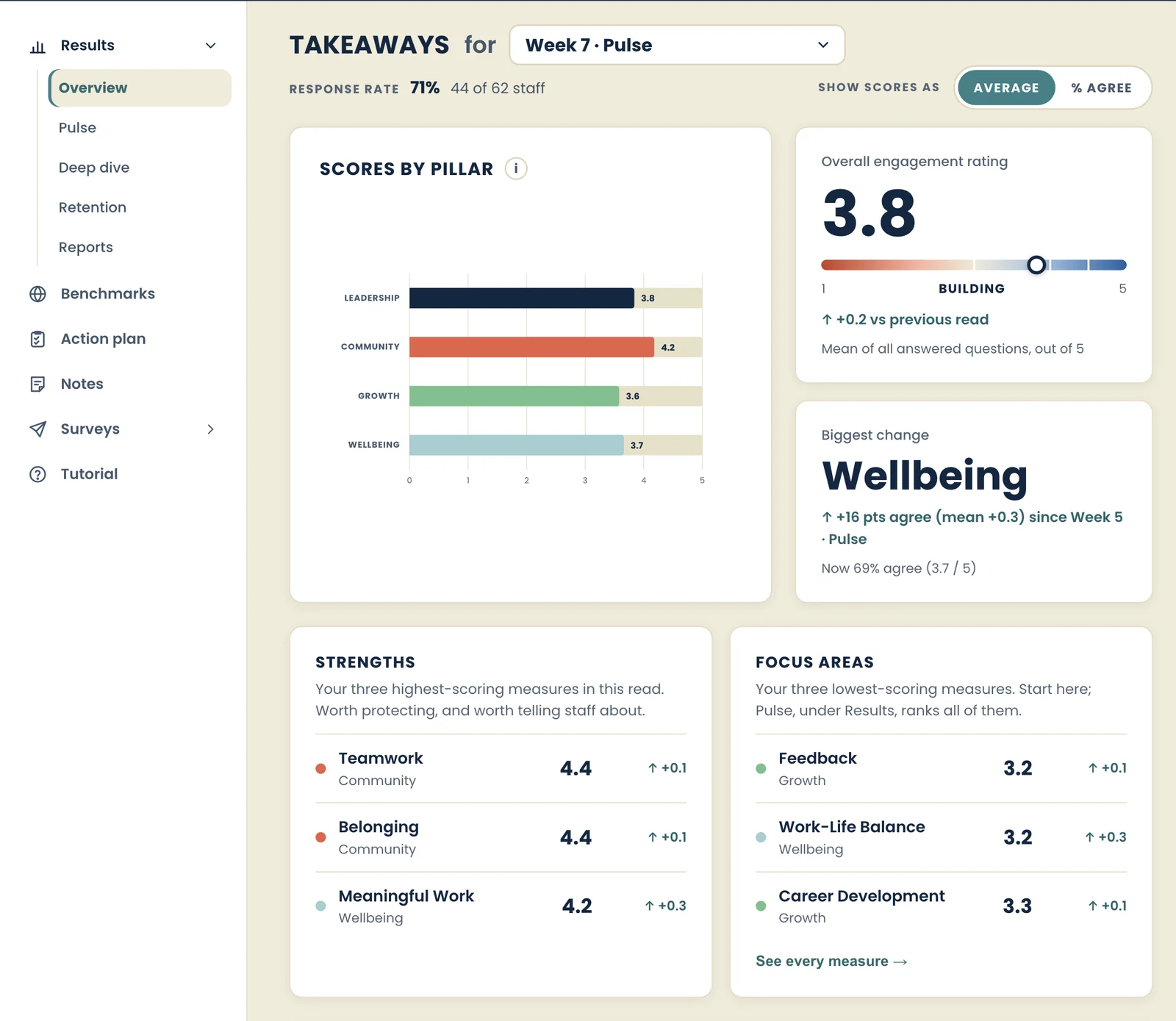
The overview after a read: your strengths and focus areas, scores by pillar, and return intent. -
All season
Act on it
Pick one or two things and change them while the season is still running. The next Pulse tells you whether it worked.
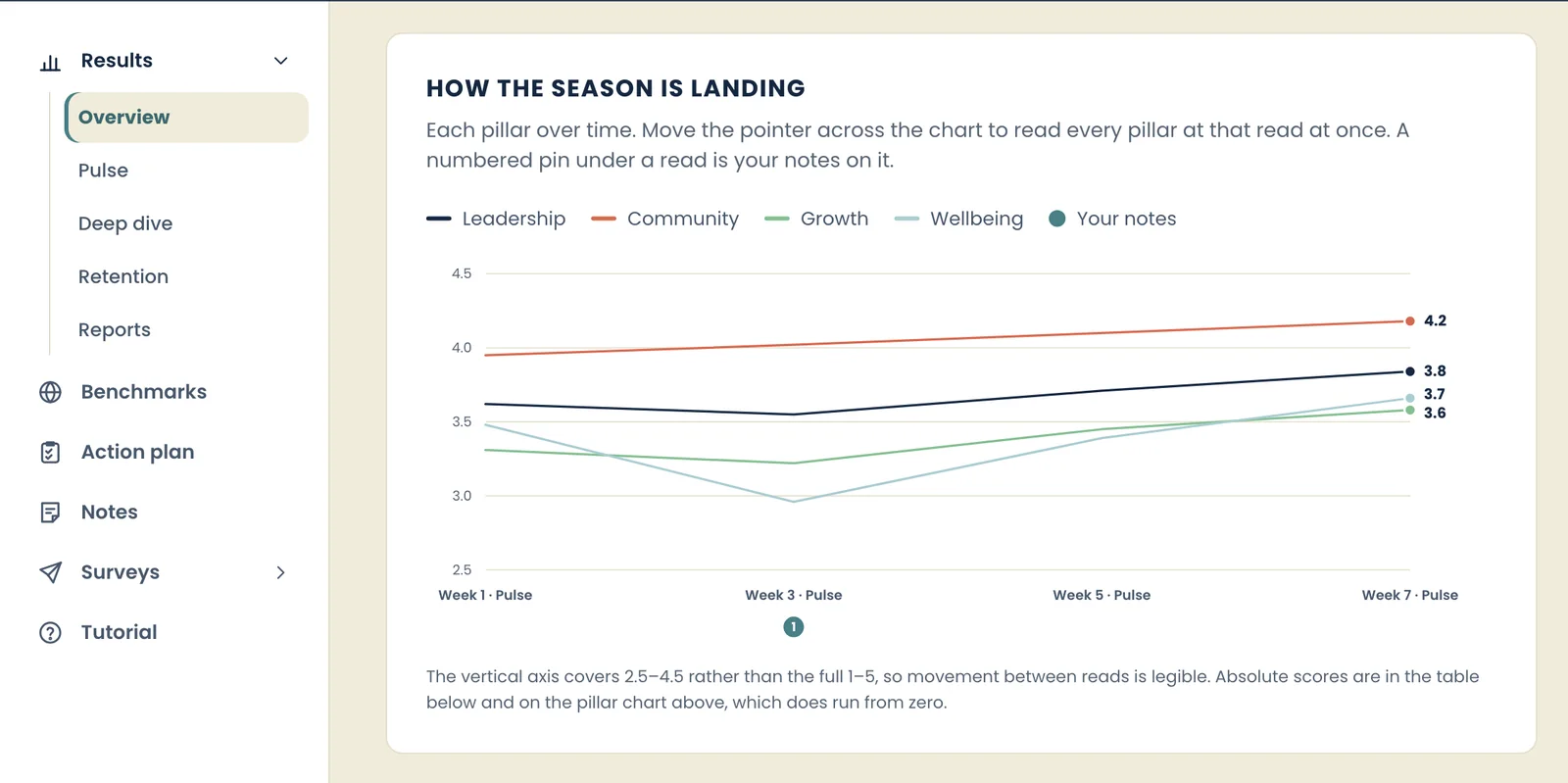
Change over time. Wellbeing dropped at week three; after the camp changed the rest rotation, it was back above baseline by week seven. -
After the season
Plan next season
Close with the end-of-season deep dive, then read the whole season back: what held, what slipped, and who plans to return and why. On Enterprise, we talk the season through with you.
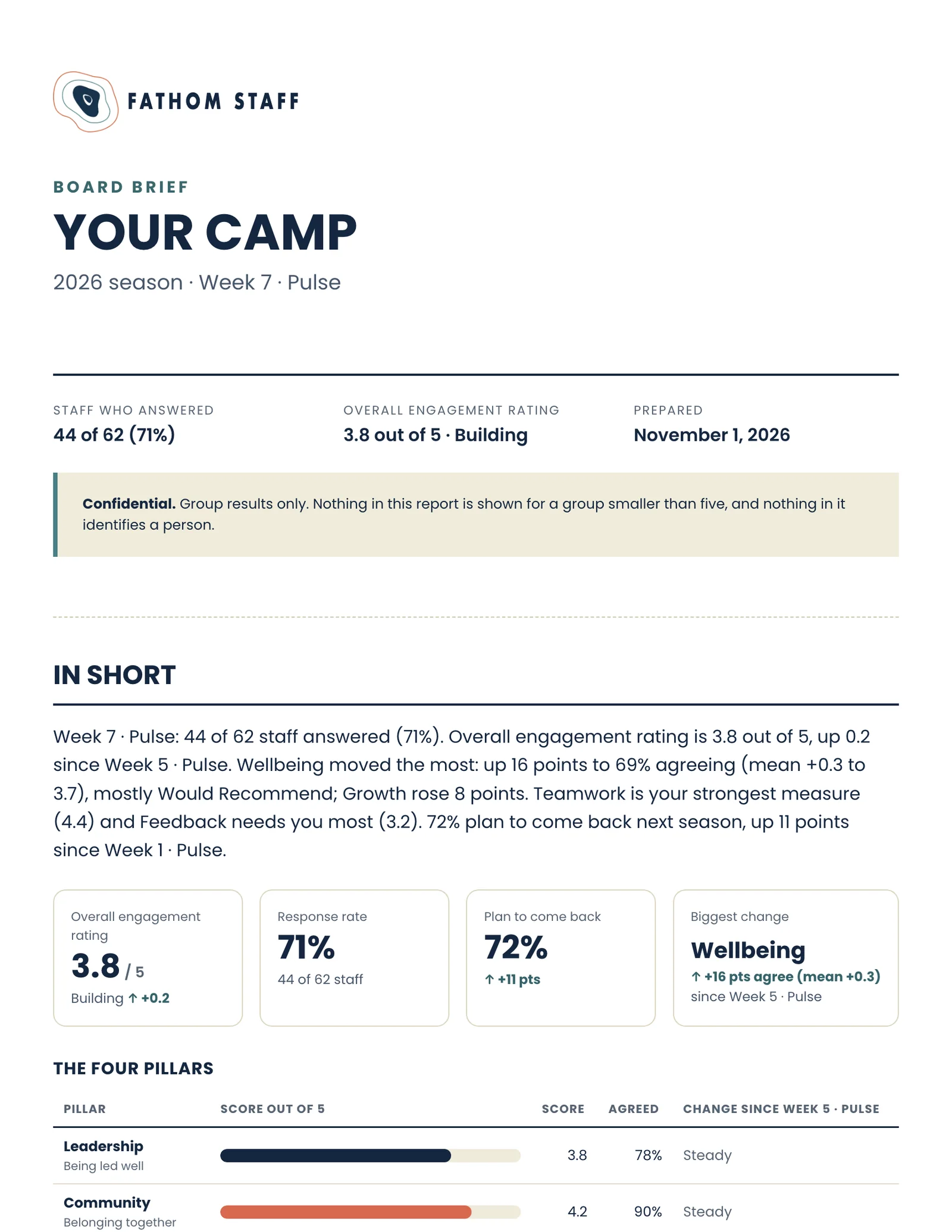
The season report: a board brief or the full report, saved as a PDF.
Staff who feel heard. More of them back next season.
Asking shows you care. Acting on what they tell you proves it.
Screens show an example camp with invented numbers.
Easy pricing
Set your staff count and every number updates.
Add-ons
Interested? Let’s talk.
Book a 30-minute call and we’ll show you around, or send us a note.